


Associate Words: Solitaire
4.8488.00 Reviews
App Specs
- Version
- 1.320
- Updated On
- License
- Free
- Downloads
- 1,000,000+
- Developer
- Astrasen Global
- Categories
- Word
- Platform
- Android
Screenshots
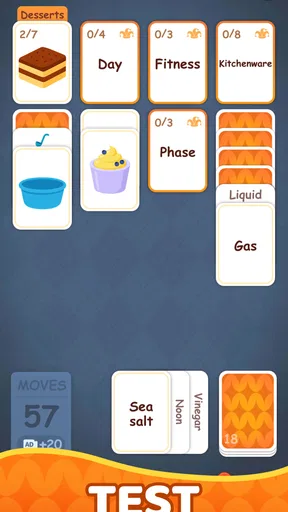
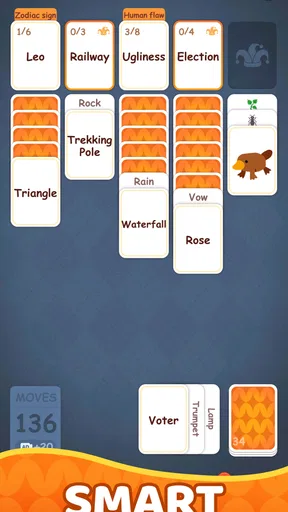
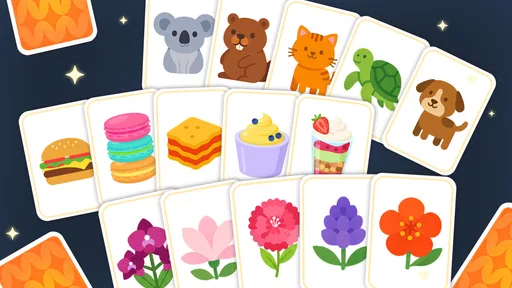
 Analysis by AppCompare
If you’re a fan of card games, especially the classic solitaire, then you’re in for a treat with Associate Words: Solitaire. This isn’t just your typical solitaire game; it’s a fresh take that combines the timeless charm of solitaire with a clever twist of word association. With its unique gameplay and engaging challenges, this app is a must-try for both card game enthusiasts and wordsmiths alike.
Getting comfortable with the central idea
The first thing I’d keep in mind is that this game asks for two kinds of attention at once. You’re not only considering where a card can go; you’re also looking for a useful word connection. That makes it more thoughtful than a standard solitaire round, but it can also feel less relaxing if you mainly want a familiar card game to play on autopilot. I’d approach the word element as part of the puzzle rather than as decoration around ordinary solitaire.
It suits short breaks especially well: a quiet moment before dinner, a pause between tasks, or a few minutes while waiting for an appointment. I’d avoid starting a round when I need to stop at a precise moment, though. A puzzle can hold my attention longer than expected once I’m weighing a card move against a word idea. If I only have a brief window, I treat it as a single focused session rather than expecting to make progress in fragments.
That balance is also the main reason I’d recommend it to someone who enjoys word games but wants something more spatial than a row of clues. A player who prefers pure vocabulary tests may find the card decisions an unnecessary detour, while a solitaire regular may need time to get used to thinking about associations alongside the layout. The overlap is the appeal, but it is also a matter of taste.
First Impressions
When I first launched Associate Words: Solitaire, I was greeted by a clean, user-friendly interface. The design is sleek and modern, yet it retains a touch of the classic solitaire aesthetic we all know and love. It immediately drew me in with its vibrant colors and intuitive layout. Navigating through the app is a breeze, making it accessible for players of all ages.
Gameplay Mechanics
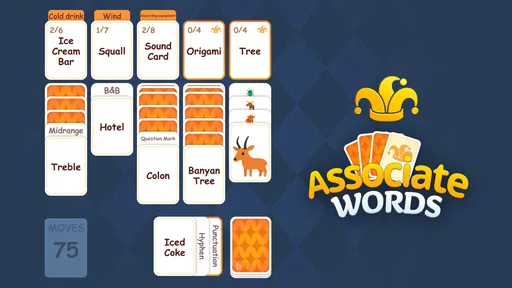
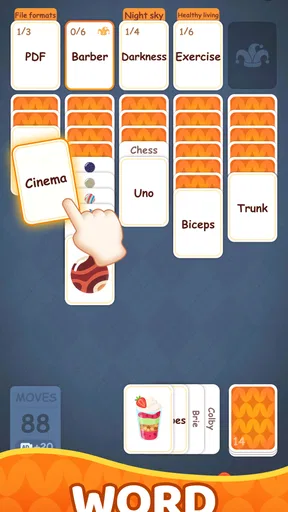
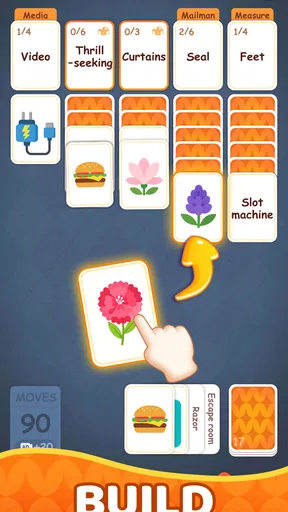
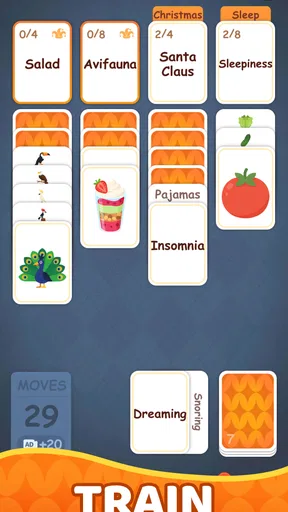
The game ingeniously combines solitaire with word puzzles. The basic concept is to play solitaire while simultaneously solving word association challenges. As you move cards around, you reveal letters that help form words. The goal is to complete both the card layout and the word puzzle, adding a layer of strategy and fun.
This dual challenge keeps you on your toes. Just when you think you’ve mastered the card sequence, you’re prompted to think about word connections. It’s a brain workout that tests both your card skills and vocabulary knowledge.
Worth Reading Before You Choose

Baby Panda World Brings Quick Play to Modern Phones, but Its Game Library Feels Busy

ESPN’s Live Game View Makes Following Close Games Easier

QuizzLand Review: A Good Fit for Short Trivia Breaks, Not Every Player

Basketball Stars: Multiplayer Is Fast, but Can It Recover When Matches Go Wrong?

WEBTOON Turns Phone Updates Into a Better Reading Routine

Link to Windows Runs on Shared Habits, Not Social Feeds
Where a round can become tricky
The most useful habit I’ve found for this kind of combined puzzle is to pause before committing to a move and ask what it changes on both sides of the task. A card move that looks attractive in isolation may not be the one that helps the word objective, and chasing a promising association too quickly can distract from the layout. Thinking one step ahead is more productive than trying to solve everything at once.
If I feel stuck, I reset my attention rather than making several speculative moves in a row. I look again at what is currently available, consider whether the letters suggest a connection I had overlooked, and then decide whether a card move is likely to open a better route. This is a practical way to reduce frustration without assuming that every puzzle has a hidden trick or that a particular button or hint system exists.
It’s also worth remembering that word association is not always as exact as spelling a single obvious answer. People connect ideas differently, so a player can understand the vocabulary and still need a moment to see the intended relationship. I enjoy that interpretive part, but it may be the chief source of friction for anyone who expects a strictly mechanical card puzzle with one immediately visible route.
What Keeps You Coming Back?
One of the standout features of this app is its daily challenges. Each day presents a new puzzle that keeps things fresh and exciting. These challenges are not only fun but also rewarding, offering in-game bonuses and achievements. There’s a certain satisfaction in completing a particularly tricky puzzle that makes you want to come back for more.
Plus, the app includes a leaderboard feature. Whether you’re a competitive player or just enjoy a bit of friendly rivalry, the leaderboard lets you see how you stack up against friends and players worldwide. It adds an interactive element that enhances the overall experience.
Making the routine work for you
For a daily visit, I’d use the challenge as a small mental warm-up rather than turning it into a test of how long I can stay in the game. The combination of card planning and associations makes it a good change of pace from scrolling through short videos or checking the same few apps. If I’m playing with a friend nearby, comparing how each of us interprets a word connection can be more enjoyable than treating the leaderboard as the only measure of success.
That competitive element will not matter equally to everyone. If ranking and comparison motivate you, it gives the game another reason to return; if you prefer solitary play, the core puzzle still has its own appeal. I wouldn’t choose this specifically for social interaction, though. Its strongest draw is the thinking required within a round, not the expectation that other players will be part of every session.
Customization Options
Customization is another area where Associate Words: Solitaire shines. The game allows you to personalize your deck and background themes. Want your cards to have a vintage look? Or perhaps a sleek, modern design? The choice is yours. These options add a personal touch, making your gaming experience unique to your style.
Sound and Visuals
The sound effects and music are subtle yet effective, enhancing the gameplay without being distracting. The visuals are crisp, and the animations are smooth, ensuring you get a seamless gaming experience. It’s clear that a lot of thought has gone into making this app both visually and aurally pleasing.
Checks before blaming the game
If the game feels awkward to use, I’d start with ordinary checks: make sure the device responds normally to taps, close and reopen the app if it appears unresponsive, and check that the installed version is current. The current release is version 1.181, and the game supports Android 6.0 and newer. Those details are useful when deciding whether an older device may be part of the problem, but they do not guarantee that every device will behave identically.
For a puzzle that seems impossible, I’d first make sure I have understood the immediate objective and look again at the available cards and letters before abandoning the round. When a screen or interaction seems stuck, I’d give the device a moment, then restart the app if needed. These are basic recovery steps, not special in-game techniques, and they are a sensible first response to many small mobile-app hiccups.
There is a useful distinction between a puzzle being difficult and the app failing to respond. If the controls react but I can’t see a good route, I treat it as a strategy problem and slow down. If the display or touch response is plainly behaving oddly, I check the device and reopen the game. That keeps me from mistaking a challenging association for a technical fault—or assuming a device issue means the puzzle itself is unfair.
How it compares with other word and card games
Compared with conventional solitaire, this game adds a language-based decision, so it is less purely about card order and more about switching between two kinds of reasoning. Compared with a typical word puzzle, the cards give the session a changing visual structure rather than presenting only a clue and a blank answer. That makes it a good middle ground for someone who gets bored by either format on its own.
The trade-off is that it may not replace either favorite completely. If I want the familiar rhythm of classic solitaire, a traditional version is the cleaner choice. If I want concentrated word practice without card management, a dedicated word puzzle is more direct. I’d pick this game when I want both elements together, and I’d skip it when I know I only have patience for one kind of challenge.
The game is free to start, while optional in-app purchases range from $0.99 to $99.99 per item. I’d keep that in mind if I’m installing it for a child or prefer to avoid accidental spending: check purchase settings on the device before handing it over. The age rating is Everyone, which makes the content broadly suitable, but purchase controls are still a practical household consideration.
Who will enjoy it, and who may not
I’d recommend it most to players who already enjoy casual solitaire and like making connections between words, especially those who want a small puzzle with more than one thing to consider. It can also work for someone looking for a gentle daily brain break, provided they enjoy figuring out associations rather than needing every answer to be purely logical.
I would steer away from it if you want a fast, competitive card game, a strict vocabulary lesson, or a puzzle whose solution is always unambiguous at first glance. The dual format is a specific taste. People who find it satisfying will appreciate how the two elements make them reconsider a move; people who find context-switching tiring may prefer separate solitaire and word apps.
A realistic way I’d fit it into a day is to play one challenge during a coffee break, then leave it there instead of letting a quick pause turn into an open-ended session. If I’m interrupted, I’d return with a fresh look at the visible puzzle rather than trying to remember every possible move. That simple routine makes the game feel like a deliberate little activity, not another app demanding constant attention.
Final Thoughts
Overall, Associate Words: Solitaire is a delightful blend of solitaire and word puzzles. It offers a refreshing twist to the traditional card game, providing endless hours of entertainment. Whether you’re looking to pass some time or engage in a serious brain workout, this app has something for everyone.
In a sea of mobile games, it stands out for its originality and engaging gameplay. So, if you’re ready to challenge your mind and enjoy some classic card action with a twist, give Associate Words: Solitaire a try. It might just become your new favorite pastime!
A practical recommendation
Astrasen Global is the developer, and the game has a 4.8 average from around 9,400 ratings, with more than 100,000 installs. Those figures suggest that plenty of players have tried it, but I’d still judge it by whether the word-and-card mix suits the way you like to play. It is free to download, and the purchase range is worth remembering if you want to keep spending tightly controlled.
My recommendation is simple: try it if you like solitaire but want your moves to involve more than card sequencing, or if word associations sound more appealing when paired with a visual puzzle. Go in expecting a casual game whose challenge comes from combining those ideas, not a replacement for every word or card game on your phone. For me, that focused niche is exactly what makes it worth a look—and the same reason it will not be right for everyone.
Pros
- Engaging and addictive gameplay.
- Simple interface
- easy to navigate.
- Offline play available.
- Minimal ads compared to similar apps.
- Variety of solitaire versions included.
Cons
- Limited customization options.
- Occasional lag in older devices.
- No multiplayer mode available.
- In-app purchases can be pricey.
- Tutorial could be more detailed.
FAQs for Associate Words: Solitaire
What is Associate Words: Solitaire, and how does it differ from traditional Solitaire?
Associate Words: Solitaire is a unique twist on the classic Solitaire game, integrating word association puzzles. Unlike traditional Solitaire, where the focus is solely on card arrangement, this game challenges players to match words and concepts, adding an educational and cerebral layer to the familiar card game experience.
Is Associate Words: Solitaire suitable for all age groups?
Yes, Associate Words: Solitaire is designed for a wide audience. Its simple interface and engaging puzzles make it accessible for both younger players and adults. The game offers varying levels of difficulty, ensuring that players of all ages can enjoy and challenge themselves at their own pace.
Can I play Associate Words: Solitaire offline, or do I need an internet connection?
Associate Words: Solitaire can be played offline, allowing you to enjoy the game without an internet connection. However, certain features, such as downloading new puzzles or participating in online leaderboards, will require an internet connection to access.
Does Associate Words: Solitaire include in-app purchases?
Yes, the game offers in-app purchases. While you can enjoy the core gameplay for free, there are optional purchases available for additional puzzle packs, hints, and customization options. These purchases can enhance the gaming experience but are not necessary to progress in the game.
How does Associate Words: Solitaire handle user data and privacy?
Associate Words: Solitaire is committed to user privacy. The app collects minimal data required for gameplay functionality and adheres to strict privacy policies. Users can review the app’s privacy policy within the settings to understand what data is collected and how it is used, ensuring transparency and security.


